Introduction
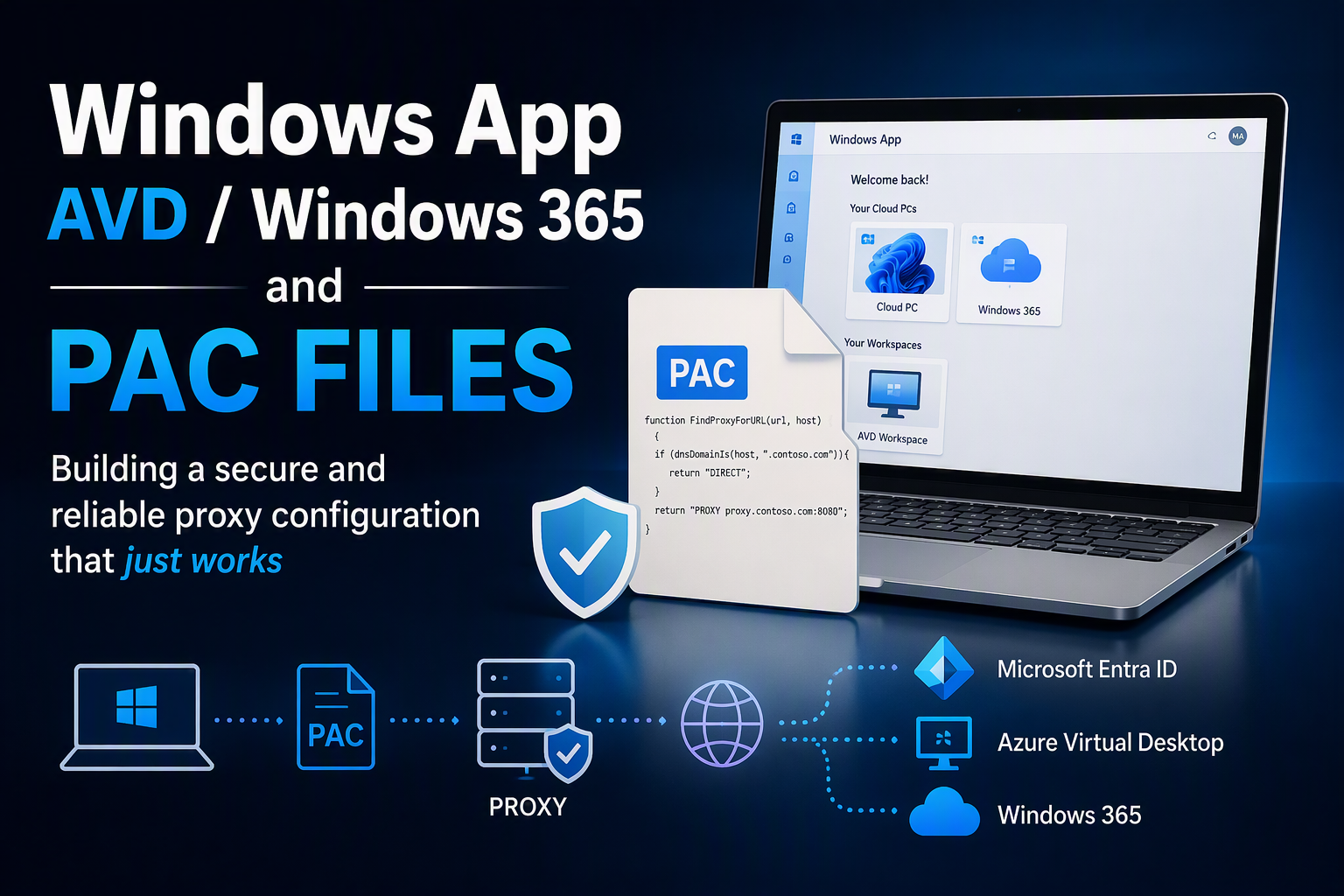
As of March 27th, 2026, Microsoft has officially ended support for the legacy Remote Desktop app. For many organizations, this app was the primary client used to connect to Azure Virtual Desktop (AVD) and Windows 365 Cloud PCs for years.
The legacy app became deeply embedded in enterprise environments. It was widely deployed, integrated with existing proxy and security architectures, and, most importantly, it was predictable. Even in environments with restrictive proxy and DNS policies, connections to AVD and Windows 365 generally worked without much friction.
With the end of support, organizations are now required to migrate to the Windows App to maintain supported access to AVD and Windows 365.
At first glance, this appears to be a straightforward client replacement. In practice, however, many organizations discover that the Windows App interacts with network services differently than its predecessor. Existing proxy configurations, particularly environments that rely on a proxy.pac file, may require additional review and adjustments.
In this article, we’ll look at why PAC files are commonly used, why the Windows App often requires more explicit proxy configuration, and which dependencies are frequently overlooked during a migration.
The challenge: Legacy app versus Windows App
The legacy Remote Desktop app was far less sensitive to the completeness of proxy configurations. In many environments, connections to Azure Virtual Desktop and Windows 365 continued to function even when PAC files had not been updated for years.
As a result, proxy and DNS dependencies often remained hidden in day-to-day operations.
The Windows App behaves differently.
Built on modern networking components and cloud service dependencies, it follows a much stricter network model:
- Endpoints are resolved through DNS before connections are established.
- PAC file decisions are evaluated exactly as configured.
- Missing or incorrect PAC rules can directly impact connectivity.
- Certificate validation and revocation checks are performed as part of the connection process.
In environments where direct internet access is restricted, external DNS resolution is controlled, and all outbound traffic must traverse a proxy, these differences become particularly visible.
A PAC file configuration that worked perfectly with the legacy client may no longer be sufficient for the Windows App. Services that were previously unnoticed can suddenly become critical dependencies for authentication, workspace discovery, certificate validation, or session establishment.
This is why migrations to the Windows App often expose proxy and PAC-related issues that have existed for years but never surfaced with the legacy client.
Building a PAC file for the Windows App
When deploying the Windows App in environments where all internet access is controlled through a proxy, the goal is not to bypass security controls. The goal is to ensure that all required Microsoft services remain reachable while maintaining a controlled and auditable outbound access path.
A common misconception is that allowing only the Azure Virtual Desktop endpoints is sufficient. In reality, the Windows App depends on several underlying Microsoft services before a user can even establish a remote session.
The application must:
- Authenticate against Microsoft Entra ID
- Discover assigned resources
- Validate certificates and revocation information
- Connect to Azure Virtual Desktop or Windows 365 services
- Retrieve service metadata from various Microsoft cloud endpoints (e.g. feed)
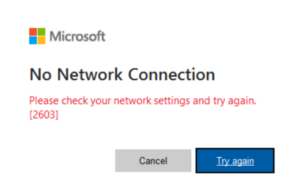
If any of these dependencies are blocked by the proxy or omitted from the PAC file, users may experience authentication failures, connection timeouts, missing workspaces, or unreliable sign-in behavior.
Authentication starts with Microsoft Entra ID
One of the first services the Windows App communicates with is Microsoft Entra ID.
Before resources can be discovered or a remote session can be launched, the user must be authenticated. This means that Entra ID endpoints need to be considered part of the Windows App dependency chain and should be included in the PAC configuration.
A common mistake is to focus exclusively on Azure Virtual Desktop or Windows 365 URLs while overlooking the identity platform that sits in front of them. When Entra ID-related traffic is not handled correctly by the PAC file, users may encounter sign-in delays, repeated authentication prompts, or inconsistent login behavior.
In practice, if a user cannot successfully authenticate against Entra ID, they will never reach the point where a session to Azure Virtual Desktop or Windows 365 can be established.
Missing PAC entries do not always cause failures
One of the more interesting observations during Windows App deployments is that an incomplete PAC file does not always result in an immediate failure.
In many cases, the application eventually succeeds because fallback mechanisms are available. However, these fallbacks often introduce delays while the client waits for unsuccessful connection attempts or timeout events to occur.
From the user’s perspective, this can manifest as:
- Slow sign-in experiences
- Delays during workspace discovery
- Long waits before a session starts
- Intermittent performance issues that are difficult to reproduce
This is one of the reasons why organizations sometimes believe their PAC file is working correctly because users can ultimately connect while still receiving complaints about slow or inconsistent behaviour.
The goal should therefore not only be to achieve connectivity, but to eliminate unnecessary retries and timeouts by ensuring that all required dependencies are explicitly accounted for.
Certificate validation is equally important
Another frequently overlooked dependency is certificate validation.
The Windows App performs certificate chain validation and certificate revocation checks as part of establishing trusted connections. If the endpoints used for these checks are not reachable through the PAC configuration, the application may spend additional time attempting to validate certificates before eventually continuing or failing.
Security without compromise
Allowing the necessary Windows App endpoints does not mean weakening security controls.
A well-designed PAC file should remain restrictive while explicitly allowing the Microsoft services required for:
- Microsoft Entra ID authentication
- Workspace discovery
- Azure Virtual Desktop
- Windows 365
- Certificate validation and revocation checking
The objective is not to bypass the proxy, but to ensure that the client can efficiently reach the services it depends on without introducing unnecessary delays.
In many environments, the Windows App works with existing PAC configurations from day one. However, when users experience slow sign-ins or delayed session launches, the root cause is often an incomplete PAC file rather than a problem with the Windows App itself. By ensuring that all required dependencies are explicitly represented in the PAC configuration, administrators can maintain a strong security posture while providing a fast and predictable user experience.
Required proxy.pac records for the Windows App
Below is an example proxy.pac structure that covers the most common Windows App dependencies. Adjust hostnames, proxy names, and ports to fit your environment.
// AVD / Windows App endpoints PAC
// - Routes only the specified Microsoft endpoints via proxy
// - Keeps private/local traffic DIRECT
// - Everything else DIRECT
//
// Update these:
var PROXY_HOST = "your proxy server";
var PROXY_PORT = "your proxy port";

// Optional fallback (uncomment if you want a second proxy):
// var PROXY_FALLBACK = "domain.com:8080";

function FindProxyForURL(url, host) {

  // ---- Safety: always go DIRECT for plain hostnames and local/private ranges
  if (isPlainHostName(host)) return "DIRECT";

  // Resolve IP (may return null on some clients; handle gracefully)
  var ip = dnsResolve(host);

  // RFC1918 + loopback + link-local
  if (ip &&
      (isInNet(ip, "10.0.0.0",    "255.0.0.0")   ||
       isInNet(ip, "172.16.0.0",  "255.240.0.0") ||
       isInNet(ip, "192.168.0.0", "255.255.0.0") ||
       isInNet(ip, "127.0.0.0",   "255.0.0.0")   ||
       isInNet(ip, "169.254.0.0", "255.255.0.0")))
  {
    return "DIRECT";
  }

  // Helper: match exact host OR subdomain of a suffix
  function hostIsOrSubdomainOf(h, suffix) {
    return (h === suffix) || dnsDomainIs(h, "." + suffix);
  }

  // Helper: wildcard match (e.g. *.wvd.microsoft.com)
  function hostMatchesWildcard(h, pattern) {
    return shExpMatch(h, pattern);
  }

  // ---- Your AVD endpoints list (route via proxy)

  // Exact hosts
  if (hostIsOrSubdomainOf(host, "login.microsoftonline.com")) return proxyReturn();
  if (hostIsOrSubdomainOf(host, "go.microsoft.com")) return proxyReturn();
  if (hostIsOrSubdomainOf(host, "aka.ms")) return proxyReturn();
  if (hostIsOrSubdomainOf(host, "learn.microsoft.com")) return proxyReturn();
  if (hostIsOrSubdomainOf(host, "privacy.microsoft.com")) return proxyReturn();
  if (hostIsOrSubdomainOf(host, "graph.microsoft.com")) return proxyReturn();
  if (hostIsOrSubdomainOf(host, "windows365.microsoft.com")) return proxyReturn();
  if (hostIsOrSubdomainOf(host, "ecs.office.com")) return proxyReturn();
  if (hostIsOrSubdomainOf(host, "aadcdn.msftauth.net")) return proxyReturn();
  if (hostIsOrSubdomainOf(host, "aadcdn.msauth.net")) return proxyReturn();
  if (hostIsOrSubdomainOf(host, "oneocsp.microsoft.com")) return proxyReturn();
  if (hostIsOrSubdomainOf(host, "sts.windows.net")) return proxyReturn();
  if (hostIsOrSubdomainOf(host, "catalogartifact.azureedge.net")) return proxyReturn();
  if (hostIsOrSubdomainOf(host, "clientconfig.passport.net")) return proxyReturn();
  if (hostIsOrSubdomainOf(host, "deschutes.microsoft.com")) return proxyReturn();
  if (hostIsOrSubdomainOf(host, "config.edge.skype.com")) return proxyReturn();
  if (hostIsOrSubdomainOf(host, "edge.microsoft.com")) return proxyReturn();
  if (hostIsOrSubdomainOf(host, "ecs.office.trafficmanager.net")) return proxyReturn();
  if (hostIsOrSubdomainOf(host, "config.teams.microsoft.com")) return proxyReturn();
  if (hostIsOrSubdomainOf(host, "wcpstatic.microsoft.com")) return proxyReturn();

  // Certificate endpoints (TCP/80 in your list)
  if (hostIsOrSubdomainOf(host, "www.microsoft.com")) return proxyReturn();
  if (hostIsOrSubdomainOf(host, "crl.microsoft.com")) return proxyReturn();
  if (hostIsOrSubdomainOf(host, "crl2.microsoft.com")) return proxyReturn();
  if (hostIsOrSubdomainOf(host, "ctldl.windowsupdate.com")) return proxyReturn();
  if (hostIsOrSubdomainOf(host, "azcsprodeusaikpublish.blob.core.windows.net")) return proxyReturn();

  // Wildcards
  if (hostMatchesWildcard(host, "*.wvd.microsoft.com")) return proxyReturn();
  if (hostMatchesWildcard(host, "*.servicebus.windows.net")) return proxyReturn();
  if (hostMatchesWildcard(host, "*.cdn.office.net")) return proxyReturn();
  if (hostMatchesWildcard(host, "*.events.data.microsoft.com")) return proxyReturn();
  if (hostMatchesWildcard(host, "*.microsoftaik.azure.net")) return proxyReturn();
  if (hostMatchesWildcard(host, "*.aikcertaia.microsoft.com")) return proxyReturn();
  if (hostMatchesWildcard(host, "*.digicert.com")) return proxyReturn();
  if (hostMatchesWildcard(host, "*.geotrust.com")) return proxyReturn();
  if (hostMatchesWildcard(host, "*.officeapps.live.com")) return proxyReturn();
  if (hostMatchesWildcard(host, "*.msauth.net")) return proxyReturn();
  if (hostMatchesWildcard(host, "*.msftauth.net")) return proxyReturn();
  if (hostMatchesWildcard(host, "*.microsoftonline-p.com")) return proxyReturn();
  if (hostMatchesWildcard(host, "*.windows.cloud.microsoft")) return proxyReturn();
  if (hostMatchesWildcard(host, "*.windows.static.microsoft")) return proxyReturn();
  if (hostMatchesWildcard(host, "*.ecs.office.com")) return proxyReturn();
  if (hostMatchesWildcard(host, "*.msftauthimages.us")) return proxyReturn();
  if (hostMatchesWildcard(host, "*.msauthimages.us")) return proxyReturn();
  if (hostMatchesWildcard(host, "*.msftauthimages.net")) return proxyReturn();
  if (hostMatchesWildcard(host, "*.msauthimages.net")) return proxyReturn();

  // ---- Default: everything else DIRECT
  return "DIRECT";


  // ---- Proxy return builder
  function proxyReturn() {
    var primary = "PROXY " + PROXY_HOST + ":" + PROXY_PORT;

    // If you want a fallback proxy, uncomment the variable at top and this line:
    // return primary + "; PROXY " + PROXY_FALLBACK + "; DIRECT";

    // If you prefer to fail open to DIRECT when proxy is down:
    return primary + "; DIRECT";

    // If you prefer to fail closed (no DIRECT fallback), use:
    // return primary;
  }
}
Final thoughts
My experience with the Windows App is that most connectivity problems are not caused by the application itself, but by assumptions made years ago in existing proxy configurations.
Many PAC files were designed around the behaviour of the legacy Remote Desktop app and have remained largely unchanged ever since. The Windows App doesn’t necessarily break these configurations, but it does make their limitations more visible through login delays, timeouts, and inconsistent performance.
Taking the time to review PAC entries for Microsoft Entra ID, Azure Virtual Desktop, Windows 365, and certificate validation services can make a noticeable difference in both performance and user experience.
In the end, a good PAC file is not about allowing more access it’s about explicitly allowing the right access.
